
You can download GUI Compass on CurseForge and Modrinth:
CurseForge: https://curseforge.com/minecraft/mc-mods/gui-compass
Modrinth: https://modrinth.com/mod/gui-compass
To keep a better overview of all mods, the issue tracker is located in a separate repository.
For issues, ideas, suggestions or anything else, please follow this link:
Because of the way mod loader files are bundled into one jar, some extra information is needed to do a PR.
A wiki page entry about it is available here:


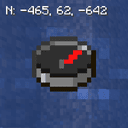
GUI Compass is a minimalistic configurable client-side mod which shows the direction and coordinates in the GUI with a compass in the inventory and bundles. By default the compass is positioned in the top left, but you can change that and the height in the config.
The format of what is visible on the screen can be changed via the 'guiCompassFormat' config value.
Default format: Direction: X, Y, Z
You may also be interested in GUI Clock.


All available config options:
guiCompassFormat default "FXYZ"
What of the GUI compass should be displayed. Default: [FXYZ]. F: facing (direction), X: x coord, Y: y coord (depth), Z: z coord.
mustHaveCompassInInventory default true
When enabled, will only show the GUI compass when a compass is present in the inventory.
compassPosition default "Left"
Where the compass is shown at the top of the screen.
compassHeightOffset default 5, min 0, max 3000
The vertical offset (y coord) for the Compass. This determines how far down the time should be on the screen. Can be changed to prevent GUIs from overlapping.
drawTextShadow default true
If the text displayed should have a shadow drawn below it.
RGB default "255,255,255"
The colour of the compass text, as red, green and blue values from 0 to 255.

Example of the compass while rotating the player:


You may freely use this mod in any modpack, as long as the download remains hosted within the CurseForge or Modrinth ecosystem.
Serilum.com contains an overview and more information on all mods available.
Comments are disabled as I'm unable to keep track of them across so many separate mod pages.
For issues, ideas, suggestions or anything else there is the Github repo. Thanks!