



Turn a Rust function or machine-learning model into a desktop demo. Tease builds the input form and results view, validates submitted values, and runs predictions on a worker thread so the window stays responsive.
Try the interactive browser preview.
Use Rust 1.88 or newer in a desktop session. Install the platform prerequisites, then add Tease to your application:
cargo add teasePut this in src/main.rs and run cargo run:
use tease::{Input, Teaser};

fn main() -> Result<(), tease::Error> {
    Teaser::default()
        .with_title("Addition")
        .with_inputs(vec![Input::default(); 2])
        .with_function(|numbers| numbers.iter().sum())
        .run()
}
Tease also accepts typed, fallible callbacks for multiple results. Inputs include numbers, choices, text, images, and CSV tables. Results can include text, plots, images, tables, and class scores. Live prediction, presets, comparisons, and batch prediction are optional. See the feature guide for the APIs, limits, and inference behavior.
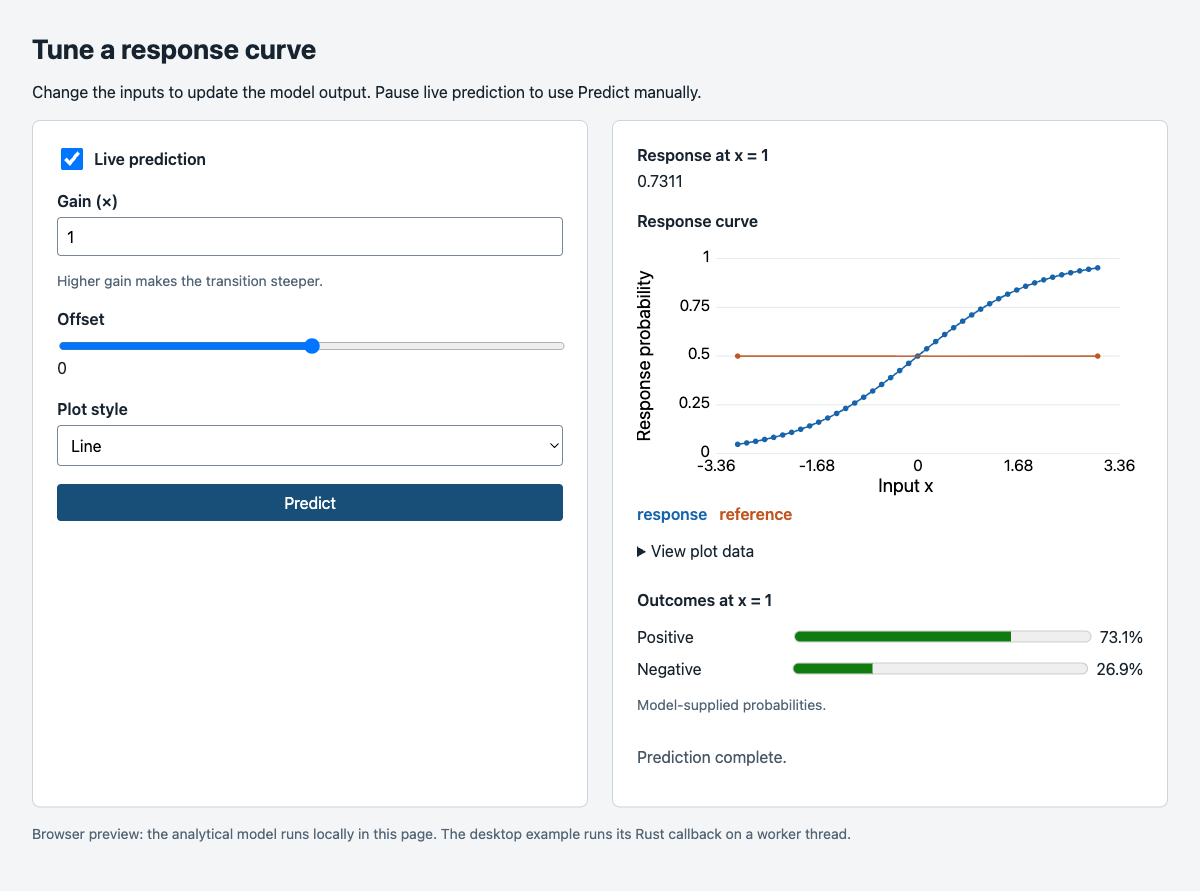
Run the response example locally. The linked browser preview runs the same analytical model in JavaScript; the desktop example runs its Rust callback. See the widget gallery for an image input and output.
From a Tease checkout, try:
cargo run --locked --example addition
cargo run --locked --example preview
cargo run --locked --example images
The example guide lists all demos and checked results, including SmartCore and AutoML models.
- macOS: Xcode Command Line Tools and the system WebKit runtime.
- Windows: MSVC Rust toolchain, Visual Studio C++ build tools, and WebView2 Runtime.
- Linux: GTK 3 and WebKitGTK 4.1 development and runtime libraries, plus a desktop session.
On Ubuntu, install
libgtk-3-dev libwebkit2gtk-4.1-dev libxdo-dev libdbus-1-dev.
Run the GUI on the main thread. Built executables still need the target system's webview libraries. See RELEASING.md for distribution and validation checks.
Licensed under MIT or Apache-2.0, at your option.