

A Bash CLI that deploys Docker Compose stacks to any VPS over SSH.
No agents, no daemons, no vendor lock-in — just a config-driven engine that treats your VPS like a deploy target instead of a pet.


Website · Wiki · CLI Reference · Changelog

Most deploy tooling makes you choose between "too simple to trust in production" and "too much platform to run yourself." strut is the middle path: a single Bash entrypoint plus a handful of lib/*.sh modules that turn docker compose + SSH into a real deployment workflow, without asking you to adopt a platform.
- 🚀 Zero-downtime blue-green deploys — dual-project swap, health-gated, automatic rollback on failure
- 🩺 Dynamic health checks — discovered from
services.conf, no hardcoded service names or ports - 🗄️ Database lifecycle — backup, restore, verify, and rehearse restores for Postgres, Neo4j, MySQL, and SQLite
- 🔍 Drift detection — catches config drift and stale image digests on mutable tags, with optional auto-fix
- 🔑 Key rotation — SSH, API, DB, and GitHub credentials, rotated and redeployed in one command
- 🌐 Domain & SSL — Let's Encrypt via nginx or Caddy, manual or auto-provisioned on deploy
- 🖥️ Multi-host fleets — one
strut.confmaps stacks to hosts;strut fleet statusreports drift across all of them - 🤖 MCP server + webhooks — expose strut as MCP tools for AI agents, or wire up push-to-deploy
- 📦 Config-driven engine — the
~/.strut/engine ships no service names, ports, or org names; everything lives in yourstrut.conf
Everything is plain Bash (set -euo pipefail, no runtime deps beyond docker, ssh, and coreutils) and covered by a BATS test suite with property-based tests.
curl -fsSL https://raw.githubusercontent.com/gfargo/strut/main/install.sh | bashOr clone manually:
git clone https://github.com/gfargo/strut.git ~/.strut
export PATH="$HOME/.strut:$PATH"
Already installed? strut upgrade pulls the latest release in place.
See Installation for upgrade, uninstall, and configuration options.
strut ships an Agent Skill so coding agents such as Claude Code, Cursor, and Codex know how to deploy, back up, and debug stacks with it:
npx skills add gfargo/strutAlready using strut in a project? strut skills install --format claude (or kiro, cursor, and more; run strut skills help for the list) copies the bundled skill into that agent's skills directory. The skill lives at skills/strut.
strut init --registry ghcr --org my-org       # Initialize project
strut scaffold my-app                          # Create a stack
nano stacks/my-app/.env.template               # Configure (copy to .prod.env)
strut my-app deploy --env prod                 # Deploy (to the VPS the stack maps to)
No arguments launches an interactive TUI (fzf-powered) for picking a stack and command:
strutSee Quick Start for the full walkthrough.
Real terminal recordings — the actual strut CLI, scripted output.
|
Ship — commit, push, rebuild on remote in one shot
|
Rollback — instant recovery when a health check fails
|
|
Drift — detect and fix config drift automatically
|
Backup — reliable backups with verification
|
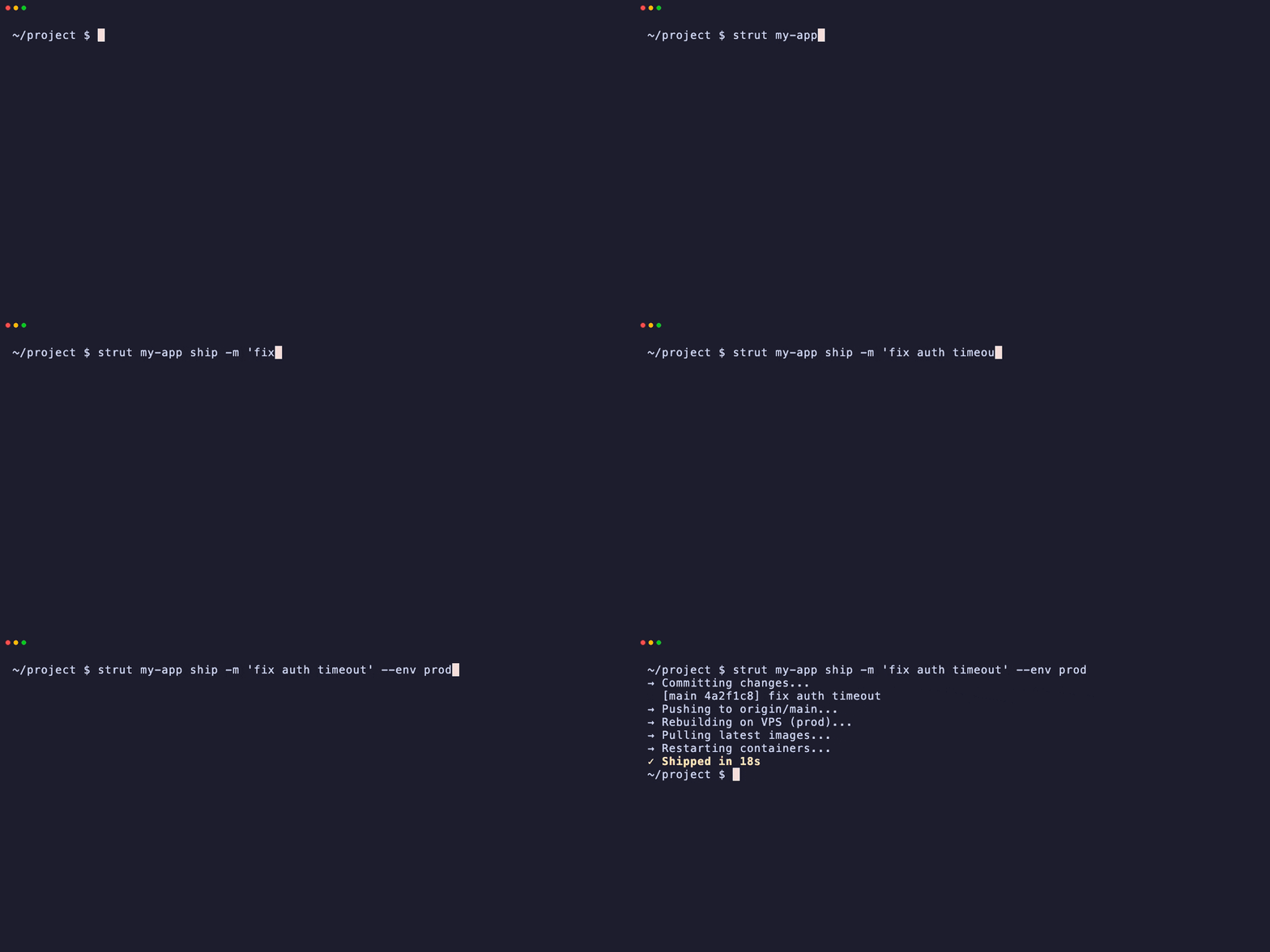



More demos — including recordings against a real DigitalOcean droplet — on the website.
strut <stack> <command> [--env <env>] [options]
| Command | Description |
|---|---|
deploy |
Deploy the stack to wherever it lives — a VPS-mapped stack gets the full pipeline (sync + migrate + deploy + verify) on that host; anything else deploys locally. --local forces local, --require-remote refuses to fall back to it |
release |
Alias for deploy --require-remote, kept for existing scripts |
stop |
Stop running containers |
destroy |
Permanently tear down a stack — fires pre_destroy/post_destroy hooks and clears the first-run marker |
health |
Run health checks |
briefing |
One-call situation report — posture + prioritized actions across every read-only check |
preflight |
Deploy go/no-go verdict (GO / CAUTION / NO-GO) with reasons |
logs |
View service logs |
backup / restore |
Database backup and restore |
db:pull / db:push |
Sync databases between VPS and local |
drift |
Configuration drift detection and auto-fix |
keys |
Key and credential management |
domain |
Configure domain and SSL certificates |
shell / exec |
SSH access to VPS |
rebuild |
Build images locally (or remotely via ship) and redeploy — supports --platform for cross-arch/multi-arch buildx builds |
ship |
Commit, push, and remote rebuild in one step |
remote:init |
Bootstrap strut on a remote VPS |
local |
Local development environment |
debug |
Container debugging tools |
fleet |
Multi-host status and sync |
dashboard |
Read-only HTTP fleet status page (HTML + JSON) |
mcp |
Expose strut as an MCP server for AI agents |
webhook |
Push-to-deploy via polling or an HTTP receiver |
list / scaffold / init |
Stack and project management |
See CLI Reference for the complete command list with flags and examples.
strut my-app deploy --env prod                               # Production deploy
strut my-app health --env prod --json                        # Health checks
strut my-app briefing --env prod                              # One-call situation report (posture + actions)
strut my-app preflight --env prod                             # Deploy go/no-go verdict before releasing
strut my-app logs api --follow --env prod                    # Follow logs
strut my-app backup postgres --env prod                      # Backup database
strut my-app restore backups/postgres-20260701.sql --env prod --dry-run  # Rehearse a restore
strut my-app db:pull --env prod                               # Pull DB locally
strut my-app drift images --env prod                          # Check for stale image digests
strut my-app keys db:rotate postgres --env prod               # Rotate credentials
strut my-app domain api.example.com admin@example.com --env prod  # SSL setup
strut fleet status                                             # Git sync state across all hosts
strut dashboard --port 8484 # Read-only HTTP fleet status page- Two-tree architecture — engine at
~/.strut/, your config at project root (Architecture) - Config-driven — no hardcoded service names, ports, or orgs in the engine (Configuration)
- One deploy verb —
deploytargets whatever host the stack maps to, so you never pick a command name to pick a target.releaseis a permanently supported alias (Deployment) --env prodreads.prod.envfor secrets and VPS connection info- Per-stack env isolation —
.prod.envis shared by every stack deployed with--env prodon a host. If it setsCOMPOSE_PROJECT_NAME, all those stacks resolve to the same Compose project, so a deploy's orphan cleanup can delete a sibling stack's containers. To isolate a stack, give it its own env file (.<stack>-prod.env) and deploy with--env <stack>-prod; runstrut postureto catch this footgun before it bites --dry-runpreviews destructive operations without executing- Dynamic health checks driven by
services.conf - Multi-arch / ARM builds —
strut <stack> rebuild --platform linux/arm64,linux/amd64(or aPLATFORMSvar inservices.conf) builds viadocker buildxand pushes a multi-arch manifest, so an image built on an amd64 laptop doesn't fail withexec format erroron a Raspberry Pi. A single platform that differs from the host's builds via buildx--load; unsetPLATFORMSkeeps the plaindocker compose buildpath (no buildx dependency). strut also warns before a build if the target host's declared architecture (arch=instrut.conf's[hosts], or a best-effort SSH probe) isn't among the platforms being built.
| Topic | Description |
|---|---|
| Installation | Install, upgrade, uninstall |
| Quick Start | First project walkthrough |
| Architecture | How strut works under the hood |
| Configuration | strut.conf, env files, per-stack config |
| CLI Reference | Full command reference |
| Deployment | Deploy, stop, update workflows |
| Blue-Green Deploy | Zero-downtime dual-project deploys |
| Database Backups | Backup, restore, restore rehearsal, pull, push |
| Key Rotation | SSH, API, DB, GitHub credential rotation |
| Drift Detection | Detect and fix config and image-digest drift |
| Domain and SSL | Custom domains, Let's Encrypt, auto-provisioning |
| Multi-Host Topology | Map stacks to hosts, fleet status |
| MCP Server | Expose strut operations as MCP tools |
| Webhook Automation | Push-to-deploy via poll or receiver |
| Monitoring | Prometheus, Grafana, Alertmanager |
| Volume Management | Dynamic volume management |
| VPS Audit & Migration | Audit and migrate existing setups |
| Stack Validation | Validate stack integrity |
| Debugging | Troubleshoot production issues |
| Local Development | Local stack management |
| Contributing | Setup, testing, linting |
| Code Conventions | Shell module standards |
| Adding a New Command | Extending the CLI |
| Project Structure | File layout and module map |
Deploy a strut-managed stack from GitHub Actions in one step:
- uses: actions/checkout@v4

- uses: gfargo/strut-action@v1
  with:
    stack: my-app
    command: deploy           # deploy | ship (see security note in wiki)
    env: prod
    host: ${{ secrets.STRUT_HOST }}
    ssh-key: ${{ secrets.STRUT_SSH_KEY }}
The action installs a pinned strut, writes the SSH key to a 600-permissions file, materializes the env file from inputs/secrets, and runs the requested command. SSH key and env values are never echoed to logs.
See GitHub Action for the full input reference, pinning instructions, and examples. A starter workflow is available in templates/.github/workflows/strut-deploy.yml.
Project paths must not contain spaces. strut's compose and SSH command
builders use word-split path expansion internally, so a project root like
/Users/me/My Projects/infra is rejected up front with a clear error rather
than failing confusingly deep in the pipeline.
Workarounds:
- Create a space-free symlink:
ln -s "/path/with spaces/infra" ~/strut-project - Or set
STRUT_PROJECTto the symlink:STRUT_PROJECT=~/strut-project strut <stack> <cmd>
bats tests/                    # Run all tests
bats tests/test_config.bats    # Run specific file
See Contributing for the full development setup.
Issues and PRs welcome — see Contributing and Code Conventions for setup, testing, and shell style guidelines.
MIT — see LICENSE.