

Small, free tools for game-development workflows. Both run locally without a tool account or upload service.
Safety notice — stop using v0.1.0. Animation Segment Transfer v0.1.0 has a confirmed editing fault in Godot 4.7.2. After a transfer into an animation with a selected key, dragging a key and using Undo can move the wrong key and overwrite existing animation data. Stop using this version until a corrected release is available.
Safety notice and current status
Batch ambient occlusion, roughness and metallic masks into exact numeric ORM PNGs. Review filenames and exceptions, then download one image per successful material plus a text report. Failed sets leave Ready; correct the files and select them again to retry.
Open the browser tool · Download v0.2.0 and examples · Source and full limits
- Extract
png-orm-packer.zipand opentexture-batch.htmlin desktop Chrome or Firefox. - Choose all six files in
examples/, review the two sets, then click Pack ready sets. - Click Download packed ZIP. It contains
stone_orm.png,wood_orm.pngand the report.
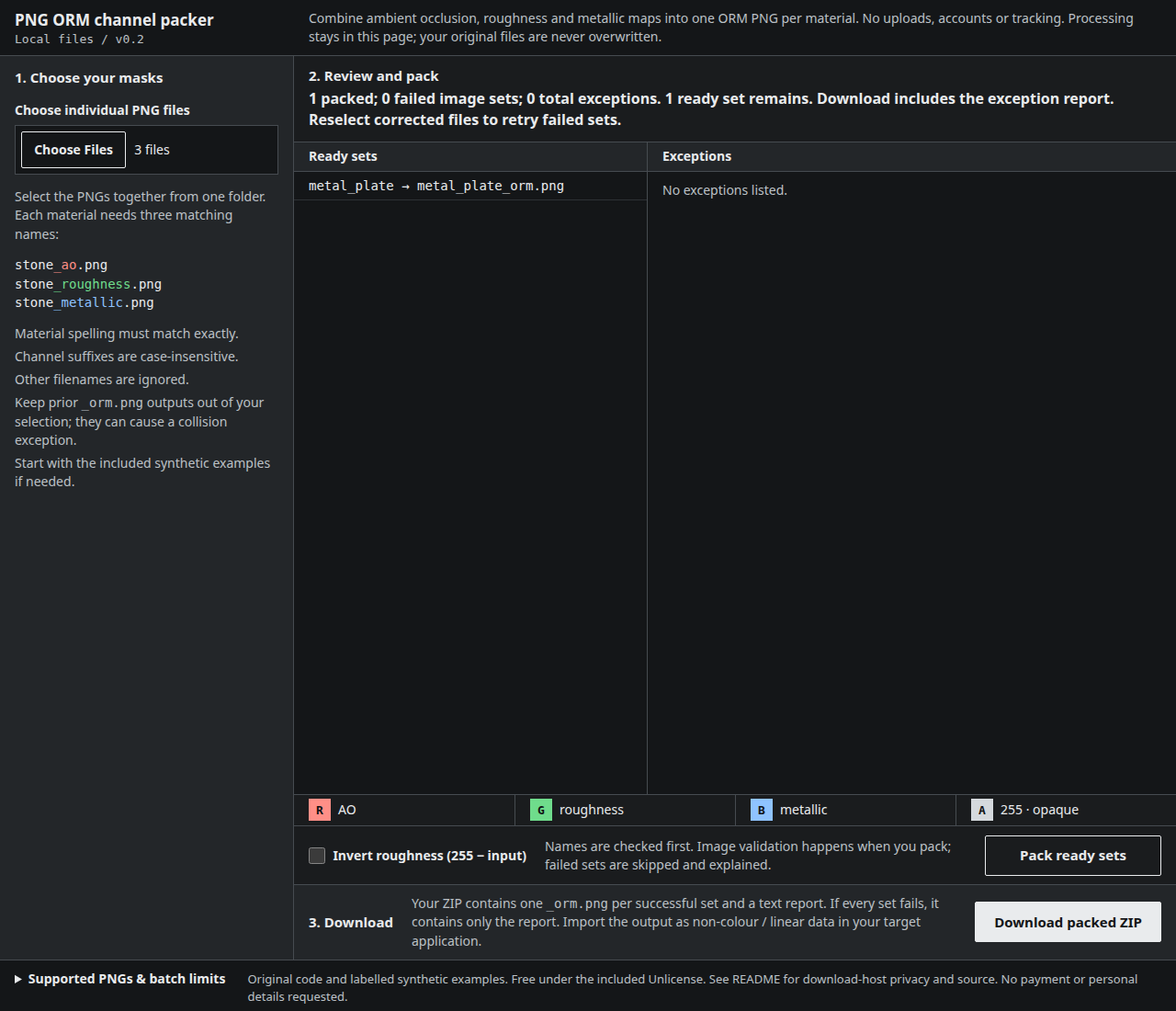
Output: R = AO, G = roughness, B = metallic, A = 255. Each value comes from its input's red channel; optional inversion uses 255 - roughness. No colour correction, resizing or source-file changes.
Supports matching 8-bit, non-interlaced grayscale/RGB/grayscale-alpha/RGBA PNGs. Palette, 16-bit and animated PNGs are refused. Per input: up to 4096 × 4096 pixels and 32 MiB; selection/output/browser-memory limits also apply. Full limits and hosting privacy details are in the README. Unlicense; no installation or tracking in the local tool.
Screenshots show our own checks, not customer results. The texture screenshot uses a separately prepared CC0 Poly Haven material, not bundled customer files. GitHub's own privacy terms apply to hosted pages and downloads.