See a design you like. Extract exactly how it works, then use it for your own app.


Quick start · How DEA works · What it extracts · Showcase · Use the scripts directly · FAQ · Documentation

Left: reference site. Right: a different brand built only from the tokens DEA extracted (95% similar at the fold, zero copied assets). Both are fictional demo pages in this repo.
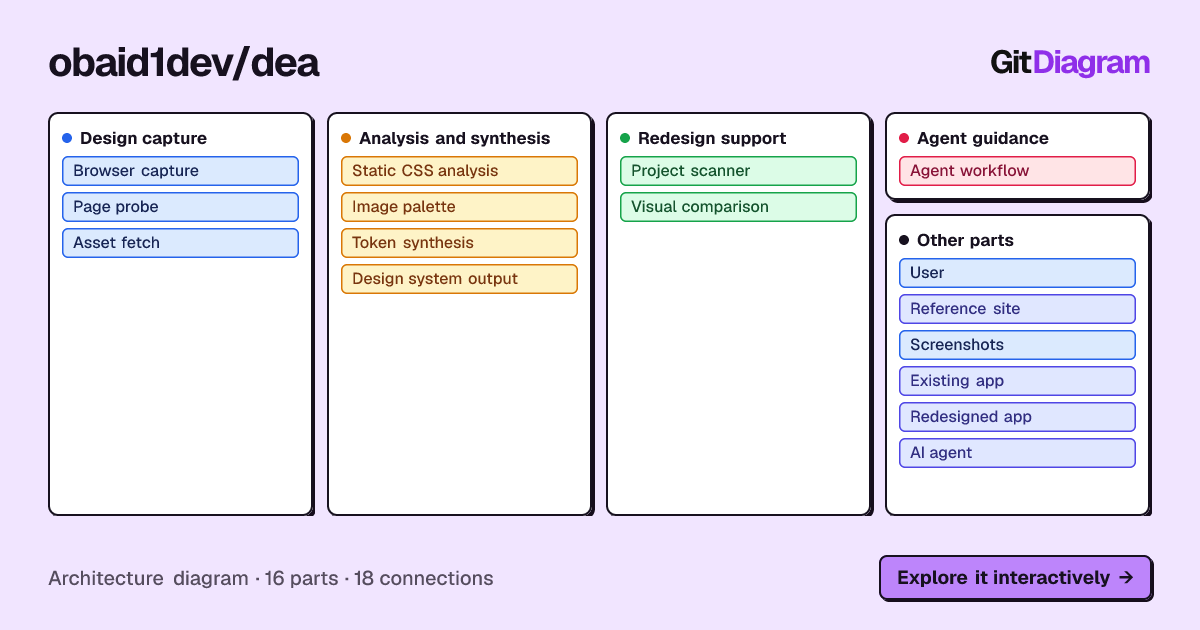
Tell your agent which site's design you want. DEA opens it in a real browser, measures every computed style, screenshots it at desktop, tablet and mobile (light and dark), hovers and focuses its buttons, and writes the result up as a design system: colors with roles, type scale, spacing, radius, shadows, motion, components and page anatomy. Then your agent builds a new site or app, or restyles your existing project, in that design.
Redesign my app using the design of Vercel. Keep my logo, name and copy.
Claude Code
git clone https://github.com/obaid1dev/dea.git
cp -r dea/dea ~/.claude/skills/dea            # all projects
# or per project:  cp -r dea/dea .claude/skills/dea
Claude.ai / Cowork: zip the dea/ folder (zip -r dea.skill dea) and upload it under Settings → Capabilities → Skills.
Or run ./install.sh from the repo (see below).
Any other agent that reads SKILL.md folders: copy the dea/ folder into its skills directory.
npm i -D playwright && npx playwright install chromiumDEA works without it (it falls back to your agent's browser tool, static CSS, or screenshots), but the Playwright capture is the most accurate.
Extract the full design system of linear.app and save it in design/linear.
Redesign this app using Stripe's design. Keep my brand, copy and features.
Build a pricing page in the style of vercel.com using Next.js and Tailwind.
Here are 3 screenshots of an app I like. Match this design in my Expo app.
Use Linear's layout with Stripe's color softness for my dashboard.
 name / URL / screenshots
          │
  1 CAPTURE   real browser: computed styles, 3 viewports, dark mode, hover/focus, extra pages   (scripts/extract.mjs)
          │
  2 LOOK      the agent views the screenshots and reads grid, hierarchy, depth, imagery, motion  (references/visual-analysis.md)
          │
  3 SYNTHESIZE roles + evidence + confidence → tokens.json, tokens.css, tailwind config, DESIGN.md (scripts/synthesize.py)
          │
  4 ADAPT     keep your brand and content, adopt the system (or blend two)                      (references/brand-fusion.md)
          │
  5 BUILD / REDESIGN  tokens → fonts → shell → primitives → sections → motion → responsive → dark
          │
  6 VERIFY    screenshot the result, compare with the reference, fix the worst bands             (scripts/compare.py)
          │
  7 DELIVER   DESIGN.md, tokens, changelog, before/after
Measured numbers come from scripts. Judgment (roles, aesthetic, rules) comes from the agent looking at the screenshots. Every inferred role carries a confidence level so nothing is silently guessed.
| Area | What you get |
|---|---|
| Color | Semantic roles (background, foreground, card, primary, muted, border, ring, destructive, success...) with evidence, dark theme and its strategy, accent colors, neutral ramp, gradients, named ramps from CSS variables, WCAG contrast checks |
| Typography | Families and stacks, font sources (+ open alternatives for proprietary fonts), type scale by role, weights, line-heights, tracking, modular-scale ratio, responsive H1 sizes |
| Spacing and layout | Base unit, spacing scale, section rhythm, container width, grids and gaps, breakpoints, header behavior (sticky, blur, border), z-index |
| Shape and depth | Radius scale and character, border patterns, shadow levels, rings, glows, backdrop blur |
| Motion | Durations, easings, transitioned properties, keyframes, measured hover and focus changes per component |
| Components | Button variants (primary, secondary, outline, ghost), inputs, cards (with structure), badges, nav links, inline links, headings, icons, images |
| Page anatomy | Sections top to bottom (hero, logo strip, feature grid, pricing, FAQ, CTA, footer) with heights, columns, backgrounds |
| Responsive | Nav collapse, grid reflow, type and padding changes at tablet and mobile |
| Stack hints | Next.js, Nuxt, Astro, Tailwind, Radix/shadcn, Framer, Webflow, Bootstrap, animation libraries |
| Screenshots | Desktop, tablet, mobile, dark, per-section, extra pages |
| Outputs | DESIGN.md, tokens.json, tokens.css (shadcn-compatible names), site-variables.css, tailwind.config.js (v3), tailwind-v4.css (@theme) |
DEA picks the best available and tells you which one it used.
| Tier | Needs | What you get |
|---|---|---|
| A. Playwright | Node 18+, Chromium | Everything above |
| B. Browser tool | Claude in Chrome, Playwright MCP, DevTools MCP, or any tool that runs JS in a page | Same data via inpage.js; screenshots from the tool |
| C. Static CSS | Python only | Variables, colors, fonts, radii, shadows, motion declared in CSS. No render or states |
| D. Screenshots only | Pillow | Colors measured from pixels; layout and type read visually, flagged as estimates |
examples/lumen-demo is a complete worked example:
index.html: a fictional reference site (Lumen) with light and dark themes, gradients, glass nav, cards, pricing, forms.output/: what DEA extracted:DESIGN.md,tokens.json,tokens.css, Tailwind configs, screenshots.rebuild/index.html: Harbor, a different fictional brand with different copy, built only fromoutput/tokens.css.compare/side-by-side.png: reference vs rebuild, produced bycompare.py.
Reproduce it:
node dea/scripts/extract.mjs examples/lumen-demo/index.html --out /tmp/lumen
python3 dea/scripts/synthesize.py /tmp/lumen/raw.json --out /tmp/lumen --name Lumen
node dea/scripts/extract.mjs examples/lumen-demo/rebuild/index.html --shots-only --out /tmp/harbor
python3 dea/scripts/compare.py /tmp/lumen/screenshots/desktop-fold.png /tmp/harbor/screenshots/desktop-fold.png --out /tmp/compareYou do not need an agent to use the capture and synthesis tools.
# Capture (Playwright)
node dea/scripts/extract.mjs https://example.com --out design/example
#   --pages /pricing,/docs   --crawl 3   --auth state.json   --no-dark   --no-responsive
#   --no-states   --shots-only   --viewport 1280x800   --wait 1500   --headed

# Turn the capture into a design system
python3 dea/scripts/synthesize.py design/example/raw.json --out design/example --name "Example"

# No browser? Static fallback
python3 dea/scripts/fetch_assets.py https://example.com --out design/example/src
python3 dea/scripts/analyze_css.py design/example/src --out design/example/raw.json --url https://example.com

# Screenshots only (needs Pillow)
python3 dea/scripts/image_palette.py shot.png --colors 8 --sample 120,340 --grid 6x4

# Check fidelity of your rebuild (needs Pillow)
node dea/scripts/extract.mjs http://localhost:3000 --shots-only --out design/rebuild
python3 dea/scripts/compare.py design/example/screenshots/desktop-full.png design/rebuild/screenshots/desktop-full.png

# Understand a project before redesigning it
python3 dea/scripts/scan_project.py ./my-app
No browser tool? Paste dea/scripts/inpage.js into DevTools, run it, and feed the JSON to synthesize.py as {"light": <result>}.
dea/                            the skill (copy this folder)
  SKILL.md                      workflow, modes, rules
  scripts/
    extract.mjs                 Playwright capture: screenshots, states, dark, responsive, pages
    inpage.js                   in-page extractor (also usable from any browser tool)
    synthesize.py               tokens.json, tokens.css, tailwind configs, DESIGN.md
    analyze_css.py  fetch_assets.py   static fallback (no browser)
    image_palette.py  compare.py      screenshot tools (Pillow)
    scan_project.py             project stack detection for redesigns
  references/                   playbook, visual analysis, spec, brand fusion, rebuild guide,
                                redesign guide, font alternatives, responsible use
examples/lumen-demo/            reference page, DEA output, rebuild, comparison
tests/                          unit and end-to-end tests
Which agents can use DEA? Any agent that can read a SKILL.md folder and run shell commands (Claude Code, Claude.ai with code execution, Cowork, and similar). The scripts also work standalone.
Do I need Playwright? Not strictly. It gives the best data. Without it DEA falls back to your agent's browser tool, static CSS analysis, or screenshots, and says what is missing.
Does it copy the other site? No. It measures the design language (colors, type, spacing, motion, layout patterns) and rebuilds your product in it with your own brand, copy and assets. It does not copy logos, photography, illustrations, proprietary font files, markup or text. See responsible use.
Can it clone a site exactly? For your own site, yes. For someone else's, it builds a design-faithful version with your branding and content, and it will not build deceptive look-alikes (fake login, checkout or support pages).
What about fonts? DEA reports where each font comes from and suggests an open-licensed alternative for proprietary ones. Verify any license before shipping font files.
Login-protected apps? Pass a Playwright storage state (--auth state.json) from your own session, or give screenshots. DEA never asks for passwords and does not bypass bot protection.
Does it work for mobile apps? Yes for the output side: the rebuild guide covers React Native/Expo (theme.ts, expo-font, shadows) and Flutter. Capture works on web or from screenshots.
How accurate is it? Values are measured from computed styles. Role names are inferred and carry a confidence level; the agent verifies them against screenshots. Hover states are measured for sampled elements, not every element. See the Unknowns section in each DESIGN.md.
Nothing came out / the page looks like an error. The site may block automated browsers. Try --headed, use --auth, or provide screenshots.
- Extraction playbook: tiers, flags, hard cases
- Visual analysis: reading screenshots like a design engineer
- Design system spec: refining
DESIGN.md, token conventions - Brand fusion: adaptation levels, blending designs
- Rebuild guide: per-stack setup, primitives, motion, fidelity loop
- Redesign an existing app: migration that preserves behavior
- Font alternatives
- Responsible use
DEA is for learning from public design, building your own products with a similar visual language, redesigning sites and apps you own or are authorized to work on, and documenting design systems. Use it on public pages (or your own session), keep captures small and polite, never impersonate another brand, and never copy brand assets. You are responsible for how you use what you build.
python3 -m unittest discover -s tests -v          # unit tests (+ e2e if Playwright is installed)
DEA_E2E=0 python3 -m unittest discover -s tests   # skip the browser test
See CONTRIBUTING.md.
MIT. Example pages in examples/ are original and fictional.